
Best Mid Range Routers for 2026: Multi Gig Ports, WiFi 7 Value, and Buyer Guide
Disclosure: We may earn a commission when you buy through links on this page, at no extra cost to you. As an Amazon Associate I earn from qualifying purchases. Learn more

Households on gigabit fiber or cable can skip the $600 flagship: here is how to pick the best mid range routers by ports, WiFi bands, CPU and mesh support.
Households with a fast fiber or cable plan do not need a $600 router covered in glowing antennas, and they should not keep paying an internet provider around $15 a month (about $180 a year) to rent a locked down gateway box. In the $90 to $220 range, the best mid range routers offer WiFi 6E or WiFi 7 speeds, 2.5 gigabit ports, quad core processors, and parental controls that often need no subscription, so a purchase can pay for itself in under a year of saved rental fees. Check the picks in the table below to compare them side by side.
A well balanced mid range router handles several 4K streams, work from home video calls, and online gaming at the same time. If online play is your main use, our guide to gaming routers adds latency and QoS tips.


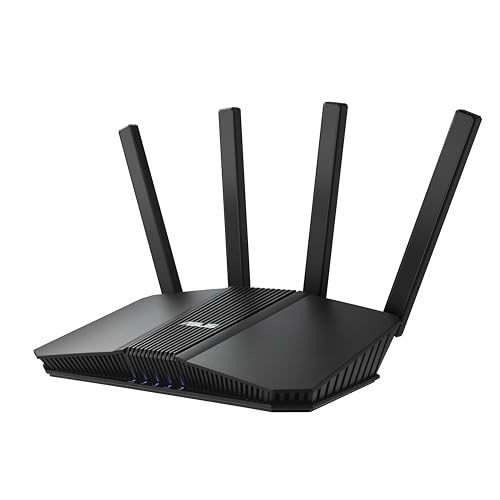


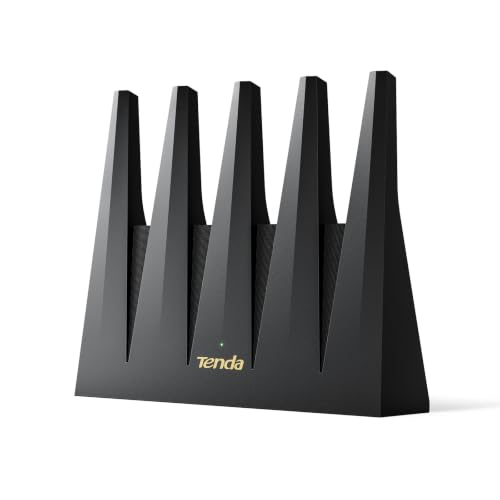

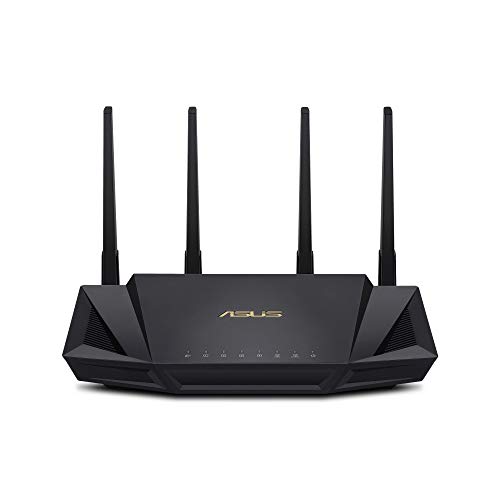
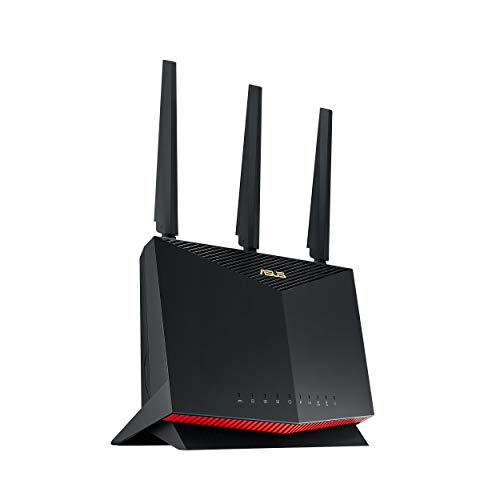
Who Should Buy Which Mid Range Router?
The right router depends on your plan speed, your home size and how many walls the signal must cross. The three common situations below cover most buyers.
1 Gigabit Fiber and Cable Households (1,500 to 2,500 Sq Ft)
A standalone WiFi 6 (AX5400 or AX6000) or dual band WiFi 7 (BE3600 to BE6500) router with a 2.5GbE WAN port is the smartest upgrade for a 300 Mbps, 500 Mbps, or 1 Gbps plan in a one or two story home. It removes the roughly 940 Mbps ceiling of older gigabit ports and can deliver 700 to 1,200 Mbps over WiFi at normal room distances.
If your plan is closer to 300 Mbps, you will not see the full benefit of the top models, so spend the savings on a unit with better coverage and mesh support instead.
Crowded Apartments and Fast Short Range Speed Seekers
Renters in dense buildings should choose a tri band WiFi 6E or tri band WiFi 7 router that unlocks the 6GHz band. Older neighbor routers cannot transmit on 6GHz, so your modern phone and laptop get a cleaner 160MHz or 320MHz channel with far less interference.
Because 6GHz does not pass through walls as well as 5GHz, it works best in small and medium spaces where the router sits in the same room or the next one.
Multi Story or Split Level Homes Needing Even Coverage
If the modem sits in one corner of a 2,500 to 4,000 square foot multi story house, a 2 pack or 3 pack mesh system around $200 usually beats a single router. You can also buy an expandable EasyMesh or AiMesh standalone router and add a node upstairs later.
Place the second node halfway between the main router and the dead zone, not inside it, so it receives a strong signal to rebroadcast.
Key Specs That Separate Mid Range Winners From Cheap Routers
Five specs explain most of the difference between a router that lasts for years and one you replace in months.
Why a 2.5GbE WAN Port Matters
A 2.5GbE WAN port lets the router accept more than 1 Gbps from your modem. Many fiber and cable plans are provisioned slightly above 1,000 Mbps, but a standard 1 Gigabit WAN port caps real throughput near 940 Mbps. In this price tier, look for at least one 2.5GbE WAN port and one 2.5GbE LAN port so a 1.2 Gbps to 2.5 Gbps plan passes through without a hardware bottleneck.
4x4 5GHz Radio Chains vs Budget 2x2 Radios
A router with a 4x4 5GHz radio generally holds higher speeds and reaches farther than a 2x2 model, even though your phone or laptop only has a 2x2 antenna. Four antenna chains let the router serve two 2x2 devices at once through MU MIMO, and beamforming focuses signal through walls. Two routers can cost the same, one labeled AX3000 (2x2) and the other AX5400 or AX6000 (4x4 on 5GHz), so read the spec sheet.
WiFi 7 (BE) vs WiFi 6E (AXE) vs WiFi 6 (AX) in the Mid Tier
All three WiFi generations overlap in the $100 to $220 window, and the code on the box tells you what you get:
- High end WiFi 6 (AX5400 or AX6000, around $110 to $170): Dual band (2.4GHz and 5GHz) with 4x4 radios, 160MHz channels, and quad core CPUs. Often the best wall range per dollar.
- Tri band WiFi 6E (AXE5400 or AXE7800, around $150 to $220): Adds the clean 6GHz band. Suits apartments with heavy 5GHz interference and fast short range transfers.
- Entry and mid WiFi 7 (BE3600 to BE9300, around $99 to $230): Adds 4096 QAM (about 20 percent more data per signal than WiFi 6), Multi Link Operation (MLO) to combine bands, and multi gig 2.5GbE ports.
Keep in mind that your devices must support the same standard to use it. A WiFi 7 router still works with older phones, but they connect at their own, slower standard.
CPU, RAM, and Subscription Free Features
The processor and memory decide whether a router stays stable with dozens of connected devices. Budget routers often use a dual core CPU of around 800MHz with 128MB of RAM and can slow down when thirty devices connect, while quality mid range models use a 1.5GHz to 2.0GHz tri core or quad core processor with 512MB to 1GB of RAM. Also read the software fine print: some brands put parental time limits, ad blocking, and IoT isolation behind a monthly cloud fee of around $6 to $10, while others include security features, WireGuard VPN support, and QoS in the firmware at no charge.
Expandable Mesh Support (EasyMesh / AiMesh)
Choose a router that supports EasyMesh or AiMesh so it is not a dead end if you move to a larger home. These systems let you add a compatible node later and use your existing router as the main hub, so you spend only on the extra coverage.
Check the maker's compatibility list before buying a second unit, since mixing brands often works only for basic features.
Comparing Mid Range Router Configurations Side by Side
The right configuration depends on your home layout and how new your devices are.
| Mid Range Router Type | Frequency Bands | Best Strength | Typical WAN/LAN Ports | Ideal Home Match |
|---|---|---|---|---|
| 4x4 WiFi 6 / Dual Band WiFi 7 | 2.4GHz + 5GHz (4x4) | Strongest wall range per dollar | 1x or 2x 2.5GbE + 3x 1GbE | 1 to 2 story homes (1,500 to 2,600 sq ft) |
| Tri Band WiFi 6E / WiFi 7 | 2.4GHz + 5GHz + 6GHz | Low interference 6GHz lane | 1x to 4x 2.5GbE | Apartments, 1+ Gbps fiber, VR & new laptops |
| 2 or 3 Pack Mid Tier Mesh | Dual or Tri Band | Reduces multi floor dead zones | 1GbE or 2.5GbE per node | Homes over 2,800 sq ft or corner modems |
Price Tiers Within the Mid Range Router Market
Mid range routers fall into three rough price steps, and each step adds a few clear features.
Smart Value Entry Mid Range (About $85 to $125)
This bracket moves you out of flimsy budget routers and into dual band WiFi 6 (AX3000 or AX5400) and entry WiFi 7 (BE3600 or BE5000) models. Expect 2.5GbE WAN ports, 160MHz channels, and EasyMesh expandability. If you rent a router for around $15 a month, a $100 model pays for itself in roughly seven months.
The Core Mid Range Sweet Spot (About $130 to $185)
Here you find 4x4 AX6000 routers with dual 2.5GbE ports and 1GB of RAM, tri band WiFi 6E (AXE5400 or AXE7800) models, and 2 pack WiFi 6 or 6E mesh systems. Many include a USB 3.0 port for simple network storage and built in WireGuard or OpenVPN servers.
Upper Mid Range Tri Band WiFi 7 and Multi 2.5GbE Hubs (About $185 to $250)
This tier brings tri band WiFi 7 (BE9300) routers with four to five 2.5GbE ports, 320MHz channels on 6GHz, Multi Link Operation, and dedicated gaming ports with smart QoS. It suits homes with a wired desktop, a NAS, and a multi gig switch.
Common Mistakes to Avoid When Buying a Mid Range Router
- Buying only 1Gbps ports for a 1.2Gbps or 2Gbps plan: Check the back panel for at least one 2.5GbE WAN port so downloads are not capped near 940 Mbps.
- Paying extra for 6GHz when all your devices are older: Only WiFi 6E or WiFi 7 devices can use 6GHz. If your home is mostly WiFi 5 and WiFi 6 gear, a 4x4 5GHz router will serve you better than a weaker 6GHz model.
- Hiding the router in a media cabinet or behind a subwoofer: Metal and magnets cut range sharply, so place it in the open on a shelf or desk, ideally near the center of the home.
- Getting surprised by a subscription after setup: Check whether parental controls and QoS cost a monthly fee or come free in the firmware.
- Reusing an old Cat5 patch cable between modem and router: Worn Cat5 cables can limit the link well below gigabit speeds. Use the Cat5e, Cat6, or Cat6a cable in the box.
- Ignoring firmware update policy: A router that stops receiving security updates becomes a risk, so favor brands that publish regular updates and offer automatic installation.
5 Minute Setup Checklist for Peak Speed and Stability
When you unbox a new mid range router, these four steps give you a stable home network:
- Put your ISP gateway into bridge or passthrough mode: If your provider gave you a combo modem and router, enable bridge mode and turn off its WiFi so the new router gets a direct public IP address without double NAT.
- Reuse your old WiFi name (SSID) and password: Matching them lets TVs, printers, thermostats, and smart plugs reconnect on their own instead of requiring manual setup on every device.
- Enable 160MHz (or 320MHz) channel width: In the 5GHz and 6GHz settings, confirm wide channels are on so compatible laptops and phones can link at 1,200 Mbps or more.
- Turn on smart QoS if your upload speed is low: On cable plans such as 500 Mbps down and 20 Mbps up, one large upload can disrupt video calls and games. Adaptive QoS or SQM keeps them smooth during heavy transfers.
After setup, install any pending firmware update and change the default admin password. Then run a speed test next to the router and again in the farthest room to see where coverage drops, which tells you whether a mesh node would help.
Frequently Asked Questions
How much should I spend on a good home WiFi router?
For most households, around $110 to $200 is the sweet spot. Below about $75, routers tend to skimp on CPU, memory, ports, and radios. Above $300, you mostly pay for niche features or 10Gbps ports that normal homes rarely use.
Will a new mid range router make my internet faster than my ISP plan?
No, a router cannot exceed the speed your provider delivers to the wall. It can, however, remove a bottleneck: if an old router held an 800 Mbps or 1 Gbps plan to 150 Mbps over WiFi, a mid range WiFi 6E or WiFi 7 model can unlock the speed you already pay for and reduce lag in games.
Should I buy a WiFi 6E router or an entry WiFi 7 router for $160?
For a crowded apartment, a tri band WiFi 6E router is usually the better pick because it includes the clean 6GHz band, which many dual band WiFi 7 routers at a similar price omit. If your budget reaches $185 to $220, a tri band WiFi 7 model gives you both 6GHz and Multi Link Operation.
How often should you replace your home WiFi router?
Replacing a router every four to five years is a sensible rule of thumb. Wireless standards keep improving, and manufacturers often stop issuing security firmware updates for consumer routers after about five years.
Do gaming routers actually reduce ping compared to regular mid range routers?
Generally not by much when only one person is online. A gaming router and a standard mid range router with the same CPU and WiFi chip have similar base ping. What helps is Adaptive QoS or SQM, which limits ping spikes (bufferbloat) when others stream or download, and many mid range routers include it.
Final Thoughts
Choosing among the best mid range routers comes down to a 2.5GbE WAN port, a 4x4 5GHz radio (or a tri band 6GHz radio for apartments and gigabit fiber), and subscription free firmware with EasyMesh or AiMesh expandability. Replacing your provider's rental box with your own router can pay for itself within months while giving every laptop, TV, and phone steadier WiFi. Compare the picks in the table above and match them to your home size and plan speed.


